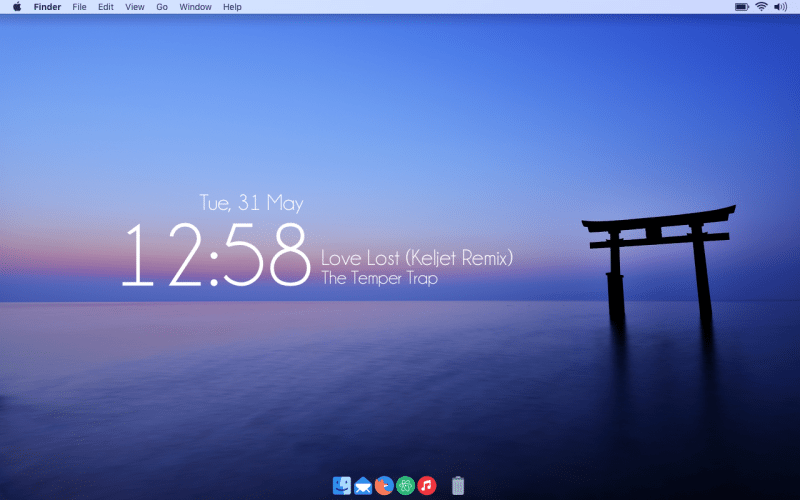
This OS X desktop is simple, elegant, and combines a few simple widgets with a gorgeous wallpaper to great effect. If you like what you see, here’s how you can set it up, customize your own menubar, and give your Mac the same look.
This desktop comes to us from DN Carr, who submitted it to our Desktop Show and Tell Pool over at Flickr. To make it your own, you’ll need to use GeekTool, which we have a great getting started guide for here.
- The wallpaper
- The GeekTool system monitor and configuration utility for OS X to create the time and date display
- The Bowtie utility for the Now Playing display
- The Gill Sans Bowlet specifically, with a few modifications (he provides the specific file he’s using here)
- The Bartender utility to rearrange items in the Mac’s menubar
- The cDock 2 utility and Liteicon to customize the dock
- The Zion icon pack to change the system icons
- The Champagne and Limosuines system font
Source: LifeHacker