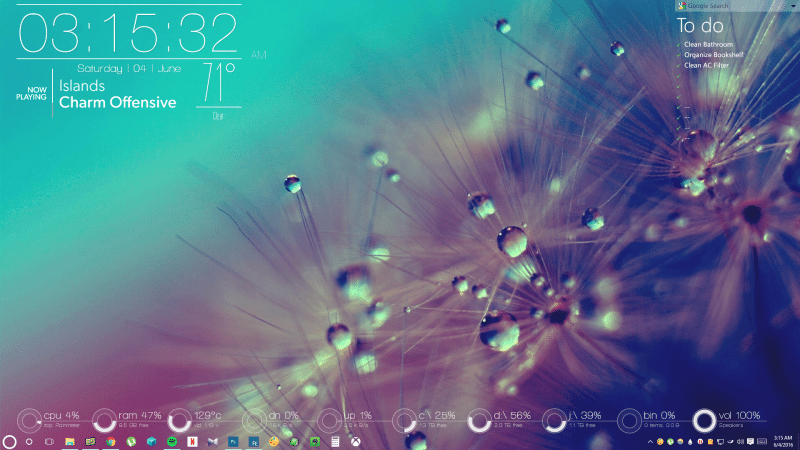

Reader ravenclawwit is no stranger to our featured desktop series, and submitted this beautiful setup to our Desktop Showcase a few weeks ago. It looks great, from top to bottom, and is pretty heavily personalized. It also has a little secret.
First thing’s first—ravenclawwit made this setup with Rainmeter, so that’s what you’ll need if you want to make it yours. If you’re not familiar with Rainmeter, check out our getting started guide here.
- The wallpaper, by Sashaa812 at DeviantArt
- The Rainmeter system tweaking and monitoring tool for Windows
- The Disen skin for Rainmeter for the clock widget and the weather widget (modified, with the modified version available on Dropbox at the link below)
- The Omnimo suite for Rainmeter for the to-do list and the Google search bar
- The Cleartext skin for Rainmeter for the Now Playing widget
- The CircuitousTwo suite of skins for Rainmeter for the system monitors
- The RainDrop 2 audio visualizer for the little secret special visualizer effect you can see in the screenshot below
- Classic Shell for Windows to make the taskbar transparent and to customize it with shortcuts, and this mouseover gif for it, from the Classic Shell forums.
Source: LifeHacker